|
Data Import |
  
|
|
Data Import |
|
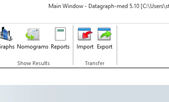
From the main menu or from the data table view you can reach a special import/export window.
There are 3 basic data tables in Datagraph - Patient Data; Treatment Data and Examinations. It is a one --> to many --> to many link as one patient can have several treatments and each treatment will have several examinations (follow up visits). Importing data means filling these 3 Datagraph tables correctly with data.
There are several options for importing data.
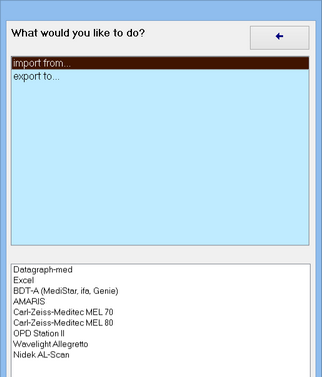
Data can be imported from existing Excel tables or other Datagraph-med (Access) data files.
Besides this, patient data, refractions and visual acuities can be imported into existing Datagraph files from:
| • | Medistar front office software. (a BDTA export macro must be added in Medistar) |
| • | IFA front office software. (a BDTA export macro must be added in IFA) |
| • | Car Zeiss Medited MEL 80 lasers. |
| • | Schwind ETS AMARIS lasers. |
At the 'aberrations tab' zernike coefficients can be imported from the following diagnostic instruments:
| • | The Nidek OPD Scan II and OPD Scan III and OPD Station Software |
| • | Visx WaveScan Aberrometer |
| • | Wavefront Sciences / Carl Zeiss Meditec COAS Aberrometer |
| • | Optikon Keratron Scout Topographer |
| • | CSO Sirius Scheimpflug Camera |
| • | Nidek AL-Scan Biometer |